Designing for Everyone: How Accessible Design Quietly Grows Revenue

Whether you’re developing a new product, improving an existing service, or refining your brand messaging, you’re told to focus on a specific target audience. In fact, almost any business activity starts with defining your target audience.
However, when it comes to designing a website or an app, there’s a slight twist. While you still need to understand your specific audience, the website design itself should cater to everyone. Your website or app can’t be built just for one group. It can appeal to a defined audience, but should work for all users and devices.
It’s not really revolutionary. Just like physical stores need to have step-free entrances and high-contrast signage, for example, websites also need the right color contrast, clear form fields, and structured code. Some measures, like HTML elements, are just not as obvious and work in the background to ensure an accessible web experience. To ensure you tick all of these the compliance checkboxes, here’s a summary of the web accessibility practices you need to incorporate.
Key Takeaway
Website accessibility removes barriers and friction, ensuring that your website can serve every visitor, irrespective of which device they use for browsing or disabilities they might face. It creates more inclusive web experiences, while at the same time helping businesses to reach more customers and generate a higher conversion rate.
Why Should Your Website Be Accessible?
Inclusive web design is one of the few examples in life where you’re actually being rewarded for doing the right thing.
Yes, there are laws like the Americans with Disabilities Act (ADA) and the European Accessibility Act (EAA) that make it compulsory for businesses to ensure that people with disabilities can interact with their digital products. In fact, it’s estimated that by the end of 2025, nearly 5,000 website accessibility lawsuits will be filed in the USA alone. This is about 20% more than the previous year, evidence that adherence is being monitored more closely.
However, it’s also good design practice. When you prioritise web accessibility, you improve:
- Search ranking
- User experience (UX)
- Organic traffic
- Conversion rate
If you want to make it about money, it can also boost your revenue. According to The Global Economics of Disability Report:
- People with disabilities are the biggest emerging market in the world.
- They have a total disposable income of $2.6 trillion in North America and Europe alone.
Plus, loved ones typically want to support businesses that prioritise web accessibility. This means that if your website meets accessibility standards, you boost your brand reputation among a group with an even bigger disposable income. To be more precise, a segment with a disposable income of seven times the size — $18.3 trillion.
It’s not just about being able to reach a bigger group of potential customers. After all, what’s the use if interest fizzles out after the first interaction?
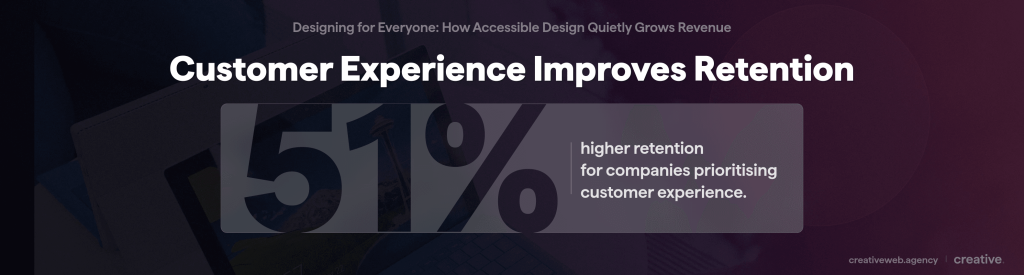
Putting your customers’ needs central to your design decisions will also keep your customers returning. According to Forrester’s Customer Experience Index, “customer-obsessed” organizations’ customer retention is 51% better.
Yet, only 3% of companies have reached this healthy level of obsession.
Similarly, only 3.97% of the 63,000 websites that Accessibility Checker analysed are fully compliant.
This creates a huge opportunity for businesses to stand out. In fact, companies that prioritise digital accessibility outperform their competitors by nearly 30% in key business metrics like revenue growth and market reach.
Understanding the WCAG
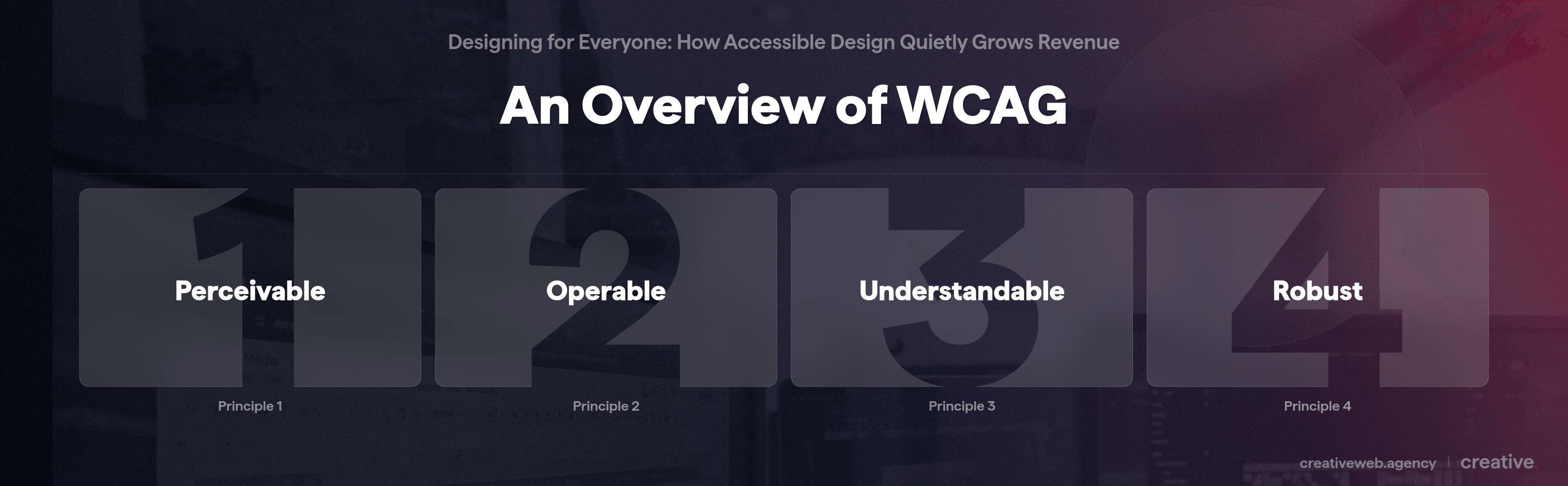
Short for Web Content Accessibility Guidelines, the WCAG is a set of international standards that explain how you should design your website content so that users with disabilities can easily access it. Included in your website content is the information like your text, visuals, and sounds as well as the code/markup used for its structure.
First published at the end of 2008, the WCAG has come a long way and updates were published on a few occasions. To make it easier for web developers, they just need to stick to WCAG 2.2 and their content will conform to all the guidelines outlined in the previous versions (WCAG 2.0 and WCAG 2.1).
Here’s a summary of the standards websites need to meet to achieve WCAG compliance:
- None-text content should have text alternatives
- Prerecorded multimedia files should have captions (to achieve Level AA, captions for live audio content should also be included)
- Content should be able to be presented in different ways (for example, a simpler layout, portrait/landscape orientation for improved mobile usability)
- Content should be easy for users to hear and see (this includes using alternative ways than colour to communicate information, applying a sufficient colour contrast ratio, allowing text to be resized, etc.)
- All functionality must be available via a keyboard
- Content that can cause seizures or other physical reactions (e.g. flashing banners) should be avoided
- Visitors should have enough time to read and use content
- Websites should provide ways to ease navigation (for example, descriptive labels and section headings)
- It should be easy for visitors to complete actions on your website using other ways than just a keyboard
- Text should be readable and easy to understand
- It should be easy to avoid making a mistake (and, if you do, it should be easy to fix)
- User interface (UI) elements should be compatible with current and future tools and assistive technologies, such as assistive technologies like a screen reader
Key WCAG 2.2 updates
WCAG 2.2 recently introduced changes and new success criteria. To help you make sense of the latest version, here’s a summary of the key points.
Input
Web developers should make it easier for users to interact with websites by means of various inputs beyond the keyboard. This is important because physical impairments, like hand tremors, can make it difficult for users to hold down the mouse button to drag items. To meet this criteria, you should also enable single-pointer access.
Let’s say, you want to include a map on your website. It could be as straightforward as allowing users to click up, down, left, or right buttons, instead of having to drag the map’s view. If you’re a multi-location retailer, it can have an impact on your revenue as potential clients can discover the closest store to them.
In addition to dragging movements, web developers also need to look at the size of buttons. Buttons that are too small or closely spaced together make it difficult for users to click on the correct one, even more so if they have a physical impairment.
WCAG 2.2 suggests that it should be at least 24 by 24 CSS pixels. Alternatively, you should include a different control on the same page that meets this size requirement that users can use to complete the action, e.g. a second, but bigger, checkout button.
Then, to help users avoid mistakes, websites should also make it easier for users to input information by not asking the same information again in the same session. If you really need the same information again, you have two options. You can either auto-populate the form or use a drop-down menu with the options.
That said, if re-typing the information manually is essential, such as confirming a password for security purposes, this criteria doesn’t apply.
Predictability
Website visitors should be able to anticipate what the next web page layout will look like before they land on it. While this might sound like bad design, it helps users, specifically those with cognitive disabilities, to find information easier.
For example, if your Chat option is in the bottom right corner on the home page, that’s where it should be on all the other pages. Not only is it recommended by WCAG, but it’s also good UX design.
Get a free website audit with accessibility checks.
Make sure your site meets accessibility standards and delivers a better experience for every user.
Get My Free AuditFAQ
-
What is accessible web design?
-
Accessible web design is the process of creating websites for people with all types of abilities. Disabilities like visual impairments and motor difficulties shouldn’t prevent users from engaging with your website effectively. Key aspects include ensuring that the website is easier to navigate and the content understandable by using best practices like alt text and a strong colour contrast.
Did this answer your question? YesThat’s great glad we could help! Start a ProjectNoNo problem, one of our experts can give you a more in-depth answer. Ask our Experts -
How important is accessibility in website design?
-
Accessibility is very important in website design as it has an impact in various areas. It helps with business performance, ensures legal compliance, and improves SEO and the overall user experience. It also signals that your business cares about inclusivity and is forward-thinking which strengthens your brand’s reputation and trust.
Did this answer your question? YesThat’s great glad we could help! Start a ProjectNoNo problem, one of our experts can give you a more in-depth answer. Ask our Experts -
Which accessibility features are most effective in boosting conversions?
-
Examples of features and elements that can improve conversions significantly include:rnrn- Accessible forms with descriptive form labelsrn- Clear error messagesrn- High contrast calls to action (CTAs)rn- Keyboard-powered navigationrn- Proper heading structure and predictable layoutrn- Video captionsrn
Did this answer your question? YesThat’s great glad we could help! Start a ProjectNoNo problem, one of our experts can give you a more in-depth answer. Ask our Experts -
How do you ensure your website is user-friendly?
-
The following steps will help you to ensure that your website is intuitive:rnrn- Research your users to understand which pages they really needrn- Simplify navigation by using predictable patterns, clear labels, and reducing the number of stepsrn- Make accessibility considerations like contrast ratios and screen reader support core requirementsrn- Optimise for speed, performance, and reliabilityrn- Run usability tests early and oftenrn
Did this answer your question? YesThat’s great glad we could help! Start a ProjectNoNo problem, one of our experts can give you a more in-depth answer. Ask our Experts