WordPress turned 23 this year. It powers 43% of the internet and holds roughly 60% of the CMS market (W3Techs). Those numbers are down from a peak of about 65% in 2022, and in a year where you can prompt an AI to build you a website in three minutes, the question is fair: does WordPress still deserve that market share?
We’ve been building on WordPress at CreativeWeb for over a decade. We’ve also used Craft, Statamic, and had a brief Drupal phase we’d rather forget. We’re not locked into any CMS. We’re relatively agnostic about it, actually.
So this isn’t a sales pitch for WordPress. It’s an honest look at where it sits in 2026: what it does well, what it still gets wrong, and whether it’s the right choice for a UK business commissioning a serious website.
Why We Still Use It
The short answer is versatility. Nothing else covers the full range of what our clients need from a single platform.
That sounds like a bold claim, so let’s break it down.
One Platform, Multiple Architectures
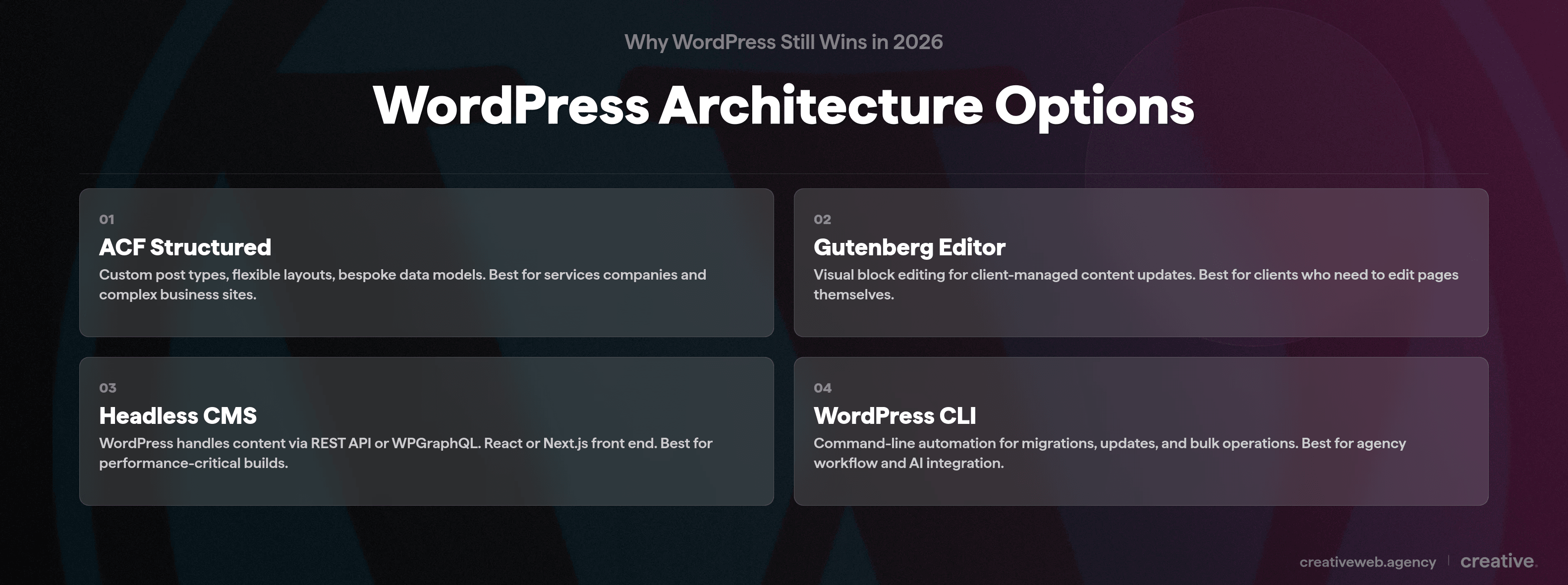
We use WordPress in at least four different ways depending on the project:
- Advanced Custom Fields (ACF) for structured content: custom post types, flexible layouts, data that maps exactly to what the client’s business needs. Not a generic theme. A bespoke data model.
- Gutenberg block editor where the client needs to edit content visually without calling us. It’s not perfect (it’s still maturing), but for straightforward page edits it does the job.
- Headless CMS with React or Next.js for performance-critical builds. WordPress handles the content via the REST API (or WPGraphQL), and the front end is a separate React application. Faster, more flexible, fully decoupled.
- The WordPress CLI for automation and bulk operations: migrations, content updates, plugin management, all from the command line.
If you have a services company, WordPress handles it. Ecommerce? WooCommerce powers roughly 28% of online stores globally.
Membership site? Custom portal? Headless API for a mobile app?
All possible within the same platform.
If you lock yourself into a more niche CMS, you sometimes can’t provide clients with the features they need. WordPress doesn’t have that problem. It adapts to the project rather than the other way round.
The Plugin Ecosystem (Used Properly)
Yes, WordPress has over 60,000 plugins. But the point isn’t the number. The point is that if you want to build a must-use plugin for bespoke functionality for a client (a custom booking system, a product configurator, an integration with their CRM), you can do it in a fraction of the time it took previously.
The caveat: more plugins means more risk. We generally push for fewer plugins, not more.
Strategic minimalism.
If you can build the feature into the theme or a custom must-use plugin, do that instead of installing someone else’s code. We’ll come back to why in the drawbacks section.
Built-In SEO That Actually Competes
WordPress’s SEO infrastructure is genuinely strong and it’s measurable. Clean URL structure out of the box, native XML sitemap generation (since WordPress 5.5), schema markup support, and the best SEO plugins available on any platform: Yoast, Rank Math, and AIOSEO between them cover everything from technical SEO to content optimisation.
The data backs this up. According to research compiled by Liquid Web, WordPress sites average 49 times higher organic traffic than Wix sites and 22 times more referring domains. That’s not a rounding error.
For a UK small business that depends on organic search (and most should), that gap matters. Starting with a WordPress foundation gives you a measurable head start.
Top tip: if you’re evaluating CMSs and SEO is a priority, ask whether the platform lets you control canonical URLs, edit robots directives per page, generate structured data without a third-party tool, and manage redirects natively. WordPress does all of this. Most website builders don’t.
WordPress and AI: Where It Actually Fits
This is the bit that’s changed recently and that most “benefits of WordPress” articles haven’t caught up with.
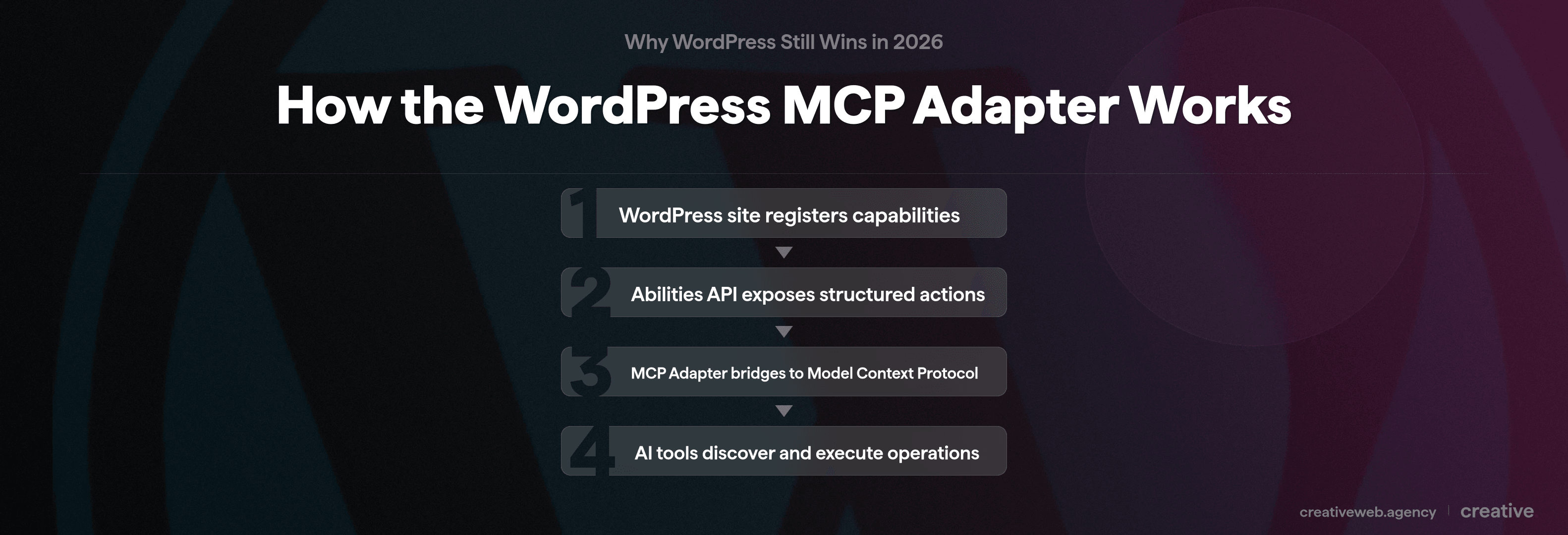
WordPress has always had a REST API and a command-line interface (WP-CLI). That means it’s always been possible to manage a site programmatically rather than clicking through the admin panel. But in 2026, those tools connect directly to AI.
We’ve started connecting our client sites to the WordPress CLI and API through AI tools. It’s still in the early stages, but what it means in practice is straightforward: if a client wants to update a piece of content, they can describe the change in natural language rather than logging in, navigating to the page, editing it in the block editor, and publishing. If they want to delete a page, check the site status, or update plugin settings, they prompt it.
The site is still a bespoke, custom-coded WordPress build. The design is still on brand, the code is still server-side rendered and optimised. But the management layer now accepts natural language prompts instead of requiring training on the WordPress admin.
WordPress historically required training to manage. Logging in, understanding the interface, knowing where things are. That barrier has largely gone away. And because WordPress already had the API and CLI infrastructure built in, it was straightforward to connect it to AI tools. Most other CMSs (and especially website builders) don’t have that plumbing.
That’s not the only reason we use WordPress. But it’s a good example of why the platform keeps evolving in ways that matter.
Thinking About WordPress for Your Business?
We build bespoke WordPress sites with custom code, not templates. If you are evaluating your platform choice, we can help.
Talk to UsWhat About AI Website Builders?
So should you just use an AI website builder instead? It depends on what you’re building.
Here’s something worth knowing: many AI website builders actually generate WordPress sites. DreamHost’s Liftoff tool, ZipWP, and 10Web all output WordPress under the hood.
So “WordPress vs AI builders” is often a false choice. The real question is whether you want a bespoke build or a generated one.
You can build a website in AI, but then editing the AI-built website is difficult. It looks generic. It renders client-side in the browser rather than on the server. It doesn’t reflect your brand.
With a custom WordPress build (the kind we do), you get a completely bespoke site that suits your business model, looks professional, and doesn’t look like generic AI garbage. And then you can still manage it with AI tools through the API. Best of both.
When an AI Builder Makes Sense
If you need a landing page for a campaign, an MVP to test a business idea, or a simple portfolio site with a limited budget, an AI builder could work. Not every project needs a £5,000+ custom development process. Being honest about that is part of giving useful advice.
But if you want a site that scales with your business, ranks in search, integrates with your CRM, and doesn’t look like every other AI-generated template, a bespoke WordPress build is where the money goes further long-term.
The Honest Drawbacks
WordPress is not perfect. If someone tells you it is, they’re selling something. Here are the real issues we deal with as an agency.
Security Is a Plugin Problem
96% of all WordPress vulnerabilities come from plugins, not WordPress core (Patchstack State of WordPress Security, 2025). In 2024 alone, 7,966 new security flaws were discovered across WordPress plugins and themes. That’s roughly 22 per day. And 43% of those vulnerabilities require zero authentication to exploit.
Those numbers sound alarming. They should.
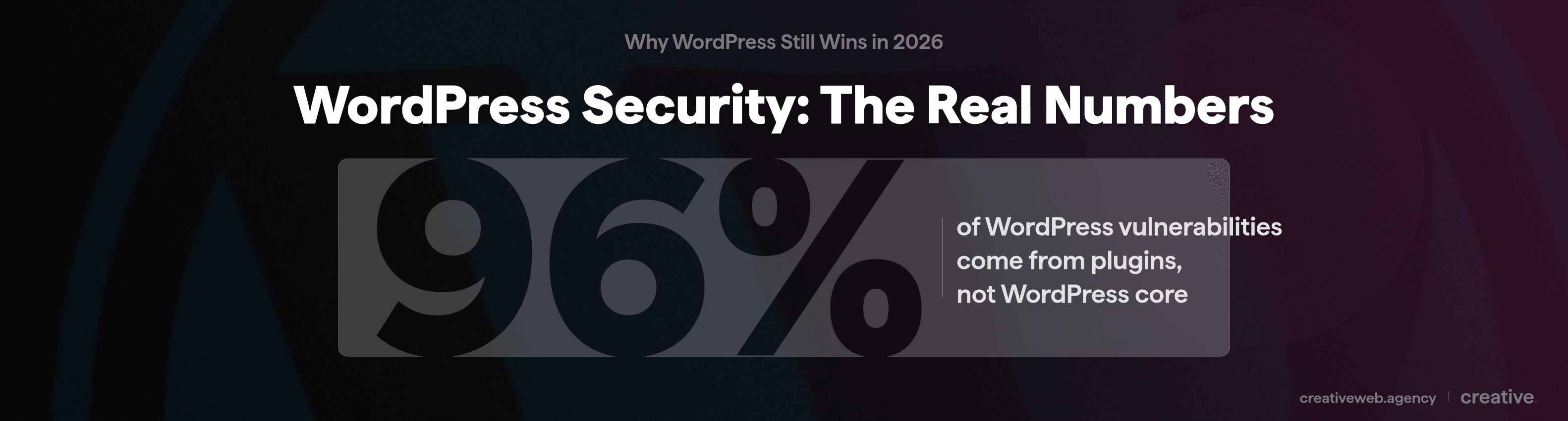
But WordPress core itself is well-maintained. It had only 7 vulnerabilities disclosed in all of 2024. The problem is the plugins. Every plugin you install is someone else’s code running on your site.
How we handle it: fewer plugins (fewer vulnerabilities), managed hosting with server-level firewalls, a web application firewall, enforced two-factor authentication, and a strict update schedule.
We had a client last year who came to us after their site was compromised. They had 47 plugins installed. We rebuilt it with 12 and the issue didn’t come back.
Performance at Scale
WordPress can handle high-traffic sites. But it slows down if you don’t build it well from the start.
When you start getting tens of thousands of database entries (posts, products, custom post types), query times increase. Add a heavy theme and fifteen plugins all loading their own CSS and JavaScript, and you’ve got a site that takes three seconds to load. 53% of mobile visitors leave a site that takes more than three seconds.
The fix is building lean from the start: a lightweight custom theme, optimised database queries, a proper CDN, object caching, and hosting that matches the site’s needs.
This isn’t a WordPress problem specifically. It’s a “you need to build it properly” problem. But because WordPress makes it easy to add plugins and themes, it’s easy to not build it properly. If you don’t update it and use too many plugins, it will be insecure and sluggish. That’s the trade-off for flexibility.
Does WordPress Deserve Its Market Share?
Honestly? For most business websites, yes.
It has the API. It has a CLI. It has blogging. It has some of the best built-in SEO tools available. It works with ACF, Gutenberg, headless React builds, and out-of-the-box plugins for pretty much every CRM and piece of functionality you need. You want a feature, you can build it in.
The drawbacks are real (security at the plugin level, performance if you’re careless, a learning curve for non-technical users). But the benefits outweigh them for most projects. We think that’s why most agencies still use it: it covers the criteria of everything that clients or agencies actually need.
If we’re being honest, the platforms that threaten WordPress aren’t Wix or Squarespace. They’re AI tools that can generate entire websites from a prompt. But right now, those tools mostly generate WordPress sites anyway. And editing an AI-generated site after it’s built is a problem nobody has properly solved yet, unless the site is built on a platform with a proper API. Like WordPress.
What Comes Next
We’re CMS-agnostic. If something better came along that covered everything our clients need, we’d use it.
So far, nothing has.
If you’re evaluating your platform choice in 2026, look past the market share numbers and the generic plugin lists. Ask whether the CMS can handle your specific requirements, whether it gives you full ownership of your data, whether it can grow with your business, and whether you can manage it without logging into a dashboard you don’t understand.
For most UK businesses commissioning a serious website, WordPress still answers yes to all of those.
If you want to talk through what a proper WordPress build looks like for your business, get in touch.