What Is a Website Retainer? (And When Does It Actually Make Sense)


Your web developer has mentioned a monthly retainer. Or maybe they called it a care plan. Or a maintenance plan.
Either way you’re looking at a recurring cost for something that, until now, you assumed was finished when the site launched.
So you searched for answers.
And you probably noticed something: almost every article about website retainers is written for the people selling them. Not the people buying them.
This is the buyer’s side of that conversation.
What Is a Website Retainer?
A website retainer is a monthly agreement where you pay a fixed fee for someone to look after your site on an ongoing basis. Regular upkeep handled by someone who knows what they’re looking at: updates, security patches, backups, performance checks.
That’s basically it.
Your site doesn’t stop needing attention after it launches. Software updates come out, security vulnerabilities get discovered, things quietly degrade in the background.
So a retainer means someone qualified keeps an eye on all of that rather than leaving it until something breaks.
Retainer, Care Plan, or Maintenance Plan?
You’ll hear all three terms, sometimes in the same conversation. There are subtle differences worth knowing about.
A website care plan usually covers maintenance only: updates, backups, security monitoring, basic support. A retainer sometimes includes development hours on top so you can request changes or tweaks each month. A maintenance plan sits somewhere between the two.
But in practice the scope varies more by provider than by label. The important thing isn’t what they call it: it’s what’s actually included in the quote.
NB: A retainer covers keeping your site running. It does not cover building new features or redesigning pages (that’s development work, quoted separately). This distinction is the biggest source of disputes we see between clients and providers so getting clear on it before you sign anything matters.
What a Website Care Plan Typically Includes
Right, so what are you actually paying for each month?
Not all plans include the same things. But there are elements we’d expect in any decent website care plan, regardless of what they charge.
The Non-Negotiables
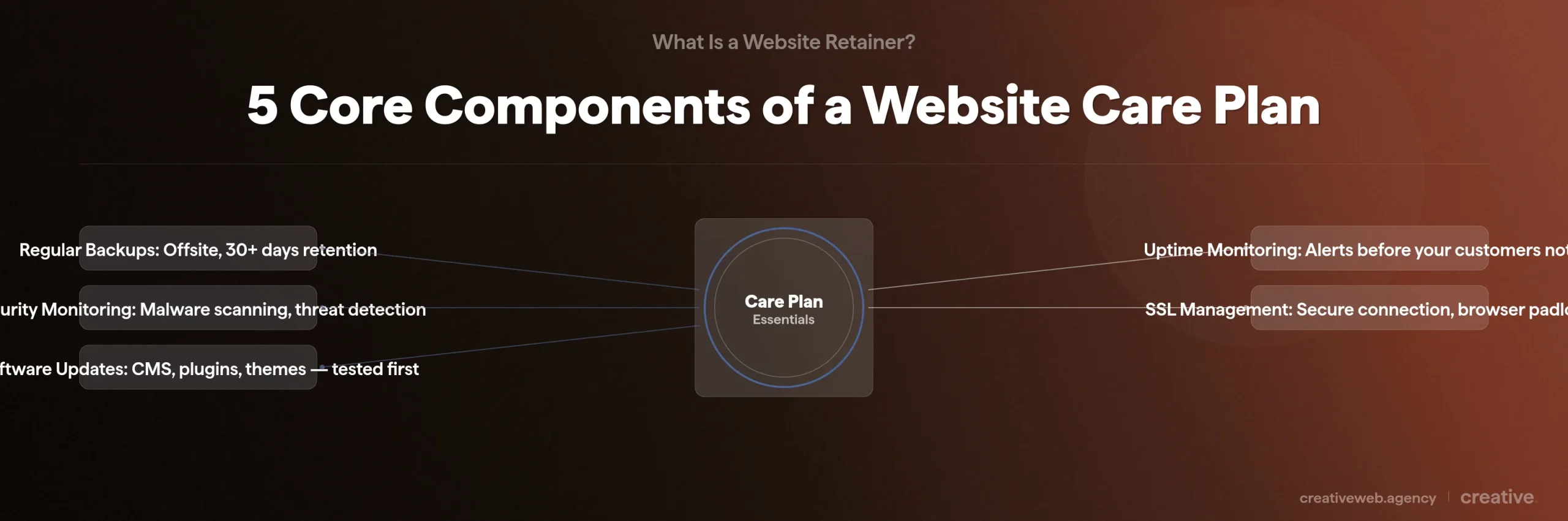
These five should be in every plan:
- Regular backups stored offsite, with at least 30 days of retention so you can roll back if something goes wrong
- Security monitoring and malware scanning to catch threats before they turn into expensive problems
- Software updates for your CMS, plugins, and themes: tested before going live, not just auto-applied and hoped for the best
- Uptime monitoring so someone knows your site is down before your customers do
- SSL certificate management keeping your browser padlock green and your encryption current
If a provider’s plan doesn’t include all five we’d want to know why.
Backups, security monitoring, tested updates, uptime checks, and SSL management are the baseline for any professional website care plan.
WordPress and Plugin Updates
WordPress powers roughly 43% of all websites globally (W3Techs, 2026). And there’s a reason it needs more maintenance than people expect.
The plugin ecosystem.
A typical WordPress site runs 15-25 active plugins, each one updates independently, and any single update can break something else entirely without warning. I’ve lost count of how many times a WooCommerce update has quietly broken a checkout page because a payment gateway plugin hadn’t caught up yet (always on a Friday afternoon, somehow).
So can you just update plugins yourself? Honestly it depends.
If you have a site with fewer than 5 plugins, no e-commerce, no custom functionality: probably yes. But if you’re running anything more complex updates should be tested in a staging environment first (basically a copy of your live site where you check nothing breaks before pushing changes to the real thing).
And I’ll be honest, even after years of doing this I still can’t always predict which plugin combinations will cause issues. That’s part of why staging environments exist.
Plugin conflicts are the number one reason WordPress sites break without warning.
What Better Plans Add
Beyond the basics? Monthly reporting (what was actually done, not just “everything’s fine”). Performance optimisation: page speed, image compression, database cleanup. Content update hours for small changes. And priority support with defined response times.
How Retainer Fees Typically Work
This is the section where most people’s eyes glaze over, so I’ll keep it brief.
Three Common Models
Fixed-scope: flat monthly fee for a defined set of services, you know exactly what you’re getting each month and there are no surprises on either side.
Hours-based: you buy a block of hours and use them for whatever you need. More flexible.
But check whether unused hours roll over or vanish at the end of the month. They usually vanish.
Hybrid: core maintenance handled automatically, plus hours for support and changes. This is what we set up most often because it covers the essentials and still gives you flexibility.
So which works best? In our experience the hybrid suits most small businesses. Essential maintenance handled automatically, plus hours for everything else.
And most providers offer monthly rolling contracts. If someone wants to lock you into 12 months upfront that’s worth questioning.
What to Expect Cost-Wise in the UK
For a straightforward WordPress site: somewhere between £50 and £150 a month. That usually covers updates, backups, security monitoring, and a small amount of support.
For something more complex (WooCommerce, custom functionality, higher traffic): £200 to £400 a month is normal for a decent level of service.
Below £30 a month you’re almost certainly getting automated tools with no human actually checking anything.
And above £500 for a standard small business site? You’re probably paying for agency overhead rather than services you need.
Top tip: Ask what happens to unused support hours. Some providers roll them over, some don’t. It makes a real difference if you have quiet months followed by a rush of changes.
Retainer vs Paying for Fixes When Something Breaks
Here’s the maths that usually settles this debate.
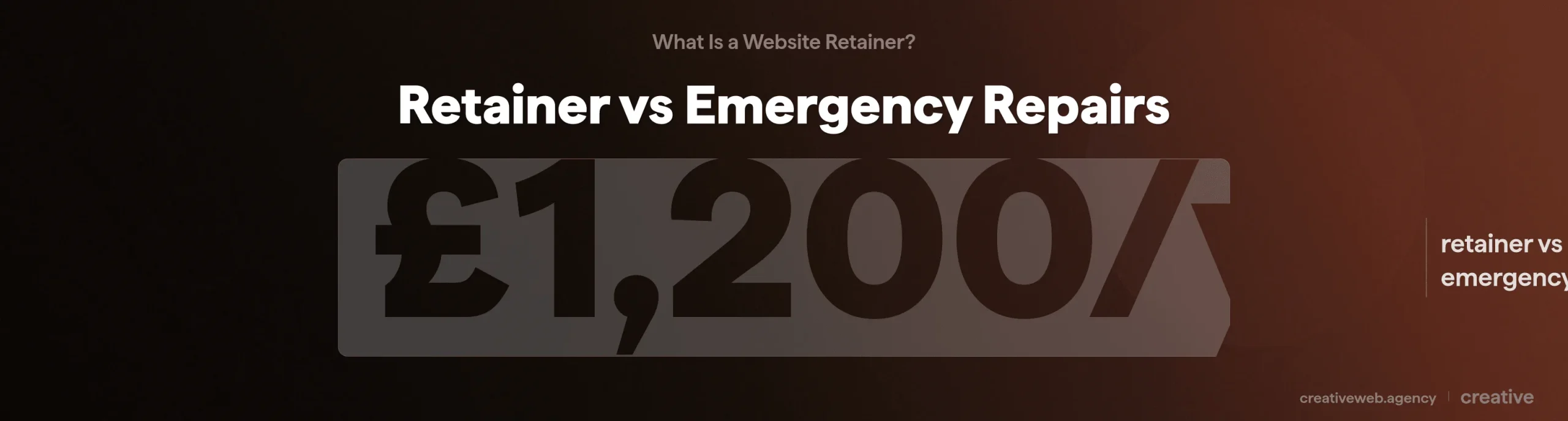
A typical maintenance retainer costs around £100 a month: that’s £1,200 a year.
Emergency callout to fix a hacked or broken site? £300 or more per incident (Dot It Media, UK industry data). And that’s before the 24-48 hours of downtime while it’s being sorted.
Two incidents a year puts you at £600-1,000 in reactive costs. Three incidents and the ad-hoc approach has cost you more than the retainer would have.
And you’ve still had the downtime. Still lost the enquiries.
In our experience it’s not even close.
The only scenario where ad-hoc genuinely makes sense: a site that doesn’t take enquiries, doesn’t sell anything, and doesn’t drive leads. Most business sites don’t fit that description.
What Neglect Actually Looks Like Over Time
This catches people because it’s not dramatic.
It’s slow and boring and that’s exactly why it works.
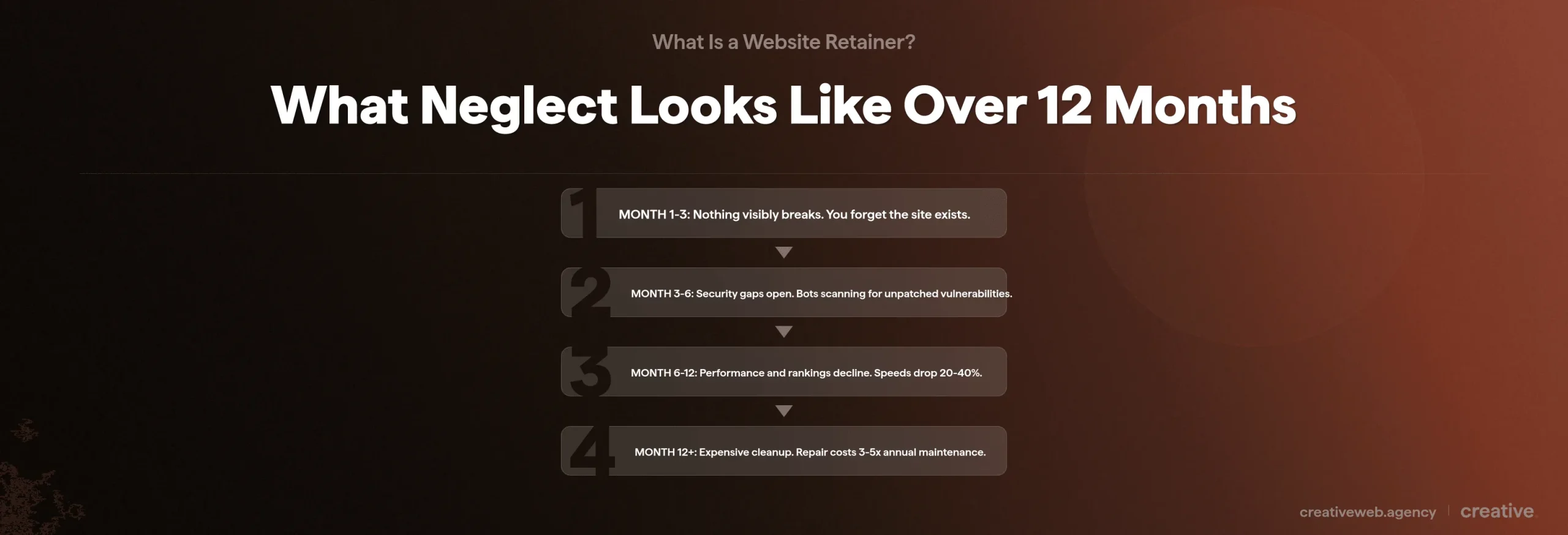
Month 1-3: Nothing visibly breaks. The site looks fine. You forget it exists.
Month 3-6: Security patches missed. Known vulnerabilities sitting unpatched and automated bots already scanning for those exact gaps.
73% of websites run on outdated software (Sucuri, 2025). The UK’s National Cyber Security Centre lists keeping software current as one of five foundational controls for small businesses (NCSC Small Business Guide).
It gets worse.
Month 6-12: WordPress core is two versions behind. Plugin warnings showing up. Load times crept up 20-40%. Your search rankings are starting to drift, but you won’t connect it to maintenance. The decline’s invisible from your end.
Month 12+: Security liability. Google’s noticed. And the cost to bring everything back up to standard: usually 3-5x what a year of maintenance would have cost.
We took over a site last year that hadn’t been touched in fourteen months. The cleanup bill was significantly more than the client expected.
And honestly the frustrating part was it was completely avoidable.
The worst outcome? Gradual invisibility.
When a Retainer Makes Sense (And When It Doesn’t)
We’ve boiled this down to 7 questions. Answer honestly.
Do You Need a Website Retainer? 7 Questions to Find Out
- Does your website generate revenue directly or capture leads? Downtime costs real money.
- Does it run on WordPress with 10 or more active plugins? More plugins means more update conflicts and more things that can quietly break.
- Do you collect or store customer data? Names, emails, payment details. UK GDPR requires “appropriate technical measures” (ICO guidance). Outdated software doesn’t qualify.
- Has your site been hacked, gone down, or broken after an update in the last two years? Prior incidents mean existing vulnerabilities. Sites that have been compromised get targeted again.
- Is there nobody on your team who’s genuinely technical? “I can log into WordPress” is not the same as “I can work out why the checkout broke after a plugin update.”
- Do you run WooCommerce or process payments through your site? Payment processing adds PCI compliance requirements. Not optional.
- Would your business lose money or credibility if your website went down for 48 hours? If yes, enough said.
Your score:
| Yes answers | What it means |
|---|---|
| 0-2 | You can probably manage maintenance yourself. Keep reading if you want to know what to look for later. |
| 3-4 | A retainer is worth serious consideration. The cost comparison above shows the financial case. |
| 5-7 | You almost certainly need professional maintenance. The next section helps you choose well. |
If your site generates leads, handles customer data, or runs WordPress with more than a handful of plugins then professional maintenance isn’t optional.
When You Can Probably Handle It Yourself
Not everyone needs a retainer.
And yes I realise saying that as someone who sells them sounds odd. But it’s true.
If your site is under 10 pages with no contact forms, no e-commerce functionality, fewer than 5 plugins, and your business doesn’t actually depend on it for generating leads or revenue then you can probably manage the updates yourself, especially if you’re the kind of person who genuinely enjoys tinkering with WordPress (they exist).
The honest test: if you know what PHP version your site runs on you’re probably fine. If you had to Google what PHP is, that’s your answer.
“Am I Being Upsold?”
Fair question. Google ‘web developer retainer upselling’ and you’ll see you’re not the only one asking.
Three things I’d ask:
“What specifically will you do each month?” If the answer is vague (just “ongoing support and maintenance” with no detail), red flag.
“What happens in months where I don’t need anything?” A decent provider will explain that core maintenance continues regardless: updates and monitoring don’t pause because you didn’t send a request.
“Can I see a sample monthly report?” If they can’t show you what reporting looks like you won’t know what you’re paying for.
And this is where the 7-question assessment helps: if you scored 2 out of 7 and your developer is pushing a £200 a month retainer, that’s probably an upsell. Scored 6 out of 7? The retainer is genuine value.
Looking for a website maintenance plan that actually fits your business?
See Our Maintenance PlansWhat to Look for in a Retainer Arrangement
Ok so you’ve decided a retainer makes sense. How do you actually tell a good one from a bad one?
Green Flags and Red Flags
| Green flags | Red flags |
|---|---|
| Uses a staging environment for testing updates | Vague deliverables (“ongoing support”) |
| Sends clear monthly reports showing what was done | No reporting whatsoever |
| Defined response times (e.g. 4-hour response for critical issues) | Long lock-in contracts (12+ months) |
| Monthly rolling contract | Charges separately for SSL renewal or basic updates |
| Genuine CMS expertise (they actually know WordPress, not just “websites”) | Can’t explain what they do each month |
Monthly rolling contract. Transparent reporting. Defined response times. Those three.
What the Agreement Should Cover
Before you sign, make sure the document includes:
- Scope of services: specific tasks, not vague descriptions
- Response time commitments: how fast they respond and how fast they actually resolve things
- Backup frequency and retention: how often backups run, how long they’re kept, where they’re stored
- Exit clause and notice period: 30 days is standard
- IP and data ownership: your website is your property, your data is yours. If you leave you take everything with you
- What happens if you leave: how access, backups, and credentials get handed over
This is the the bit most articles skip. But after working with UK businesses for over a decade we’ve seen what happens when this isn’t sorted upfront. Never pleasant.
What to Expect When You Sign Up
Nobody ever talks about the first month, which from our side is often the busiest part of the whole thing.

Week 1: Full site audit: security scan, performance baseline, plugin inventory. The provider needs to understand what they’re looking after before they start maintaining it.
Week 2: Backup systems installed and verified. Monitoring set up (uptime and security). They’ll need admin access to WordPress and probably your hosting account (this is normal, don’t worry about it).
Week 3-4: First round of updates (tested in staging first), and any quick wins from the audit get sorted.
By the end of month one you’ll get the first report establishing the baseline. After that it settles into a regular cycle: updates, monitoring, support as you need it.
Website Care Plan FAQ
Website Care Plan FAQ
-
How long does website maintenance actually take?
-
Straightforward WordPress site: 2-4 hours a month. More complex setups (WooCommerce, custom builds) can need 8-12 hours. The point of a retainer is you don’t have to think about it.
Did this answer your question? YesThat’s great glad we could help! Start a ProjectNoNo problem, one of our experts can give you a more in-depth answer. Ask our Experts -
Can I switch providers if I’m not happy?
-
Yes. Standard notice: 30 days. Check your exit clause covers data and credentials.
Did this answer your question? YesThat’s great glad we could help! Start a ProjectNoNo problem, one of our experts can give you a more in-depth answer. Ask our Experts -
What if my site is brand new?
-
That’s actually one of best times to start. Clean site means proper baselines from day one. Waiting until something breaks means you’re already playing catch-up.
Did this answer your question? YesThat’s great glad we could help! Start a ProjectNoNo problem, one of our experts can give you a more in-depth answer. Ask our Experts -
Is a WordPress care plan different from a general one?
-
In principle no. In practice WordPress has specific needs (the plugin ecosystem, PHP compatibility, frequent core updates) that a good care plan addresses. Make sure your provider has genuine u003ca href=”/wordpress-web-design-agency/”u003eWordPress expertiseu003c/au003e rather than generic maintenance with a WordPress logo on the page.
Did this answer your question? YesThat’s great glad we could help! Start a ProjectNoNo problem, one of our experts can give you a more in-depth answer. Ask our Experts -
What’s the difference between a retainer and paying for one-off fixes?
-
Retainer: proactive. Someone watches your site and handles issues before you notice them. One-off fixes: reactive, you pay when something breaks. The catch with reactive: you’re also paying for the downtime and the lost enquiries. For most business sites a basic retainer costs less over 12 months than two or three emergency callouts. Do the maths.
Did this answer your question? YesThat’s great glad we could help! Start a ProjectNoNo problem, one of our experts can give you a more in-depth answer. Ask our Experts -
Do I need a care plan if my site is only a few pages?
-
Probably not. Simple brochure site, no forms, no e-commerce, fewer than 5 plugins: manage it yourself. Changes when you collect customer data or rely on the site for leads. At that point the risk outweighs the cost.
Did this answer your question? YesThat’s great glad we could help! Start a ProjectNoNo problem, one of our experts can give you a more in-depth answer. Ask our Experts -
What happens if I just stop maintaining my website?
-
Nothing dramatic at first. That’s the problem. Missed patches go unnoticed for months. Your site quietly becomes vulnerable, speeds get worse, rankings slip. By the time something visibly breaks the cleanup costs three to five times what a year of maintenance would have.
Did this answer your question? YesThat’s great glad we could help! Start a ProjectNoNo problem, one of our experts can give you a more in-depth answer. Ask our Experts -
How much should I budget for website maintenance in the UK?
-
Standard WordPress site: £50-150 a month. WooCommerce or custom functionality: £200-400. Below £30 means automated tools with no human oversight. The right number depends on how much your business depends on the site.
Did this answer your question? YesThat’s great glad we could help! Start a ProjectNoNo problem, one of our experts can give you a more in-depth answer. Ask our Experts
If any of this flagged something about your own site, start with the 7-question assessment above. And if you want to talk it through with someone, get in touch.